
Meta Title
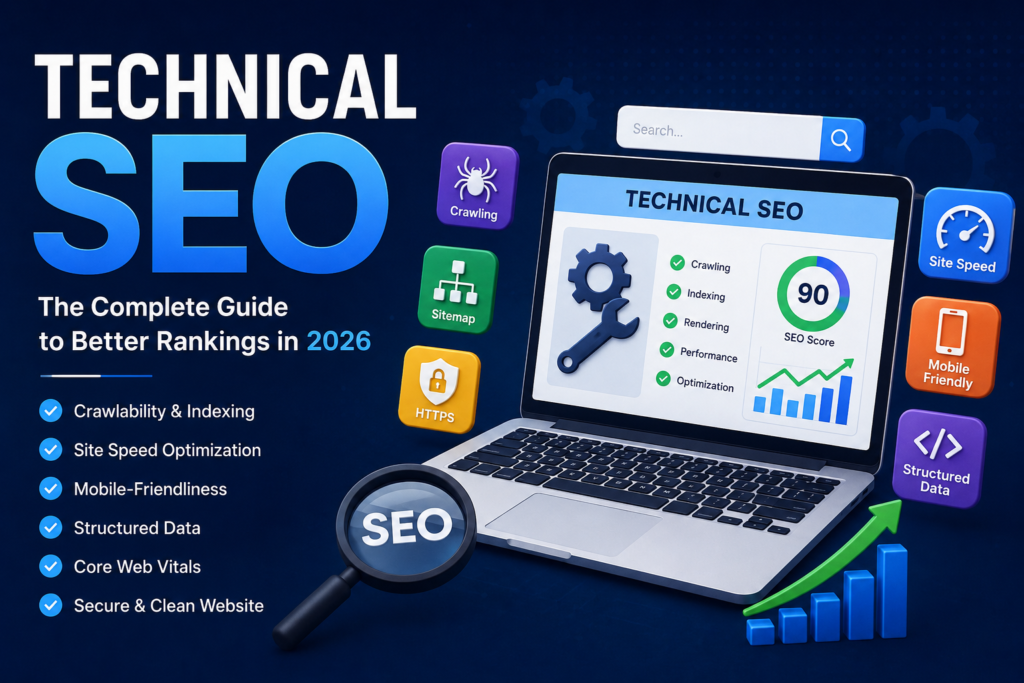
Technical SEO: Complete Guide to Better Rankings in 2026
Meta Description
Learn everything about Technical SEO, including crawling, indexing, Core Web Vitals, site speed, XML sitemaps, robots.txt, HTTPS, structured data, and best practices to improve Google rankings.
URL Slug
technical-seo-guide
Table of Contents
- What is Technical SEO?
- Why Technical SEO Matters
- How Search Engines Work
- Crawling
- Indexing
- Rendering
- Website Architecture
- URL Structure
- XML Sitemap
- Robots.txt
- Canonical Tags
- HTTPS Security
- Mobile-Friendly Websites
- Core Web Vitals
- Website Speed Optimization
- Image Optimization
- Crawl Budget
- Common Technical SEO Mistakes
- Technical SEO Checklist
- FAQs
- Conclusion
What is Technical SEO?
Technical SEO is the process of optimizing your website’s infrastructure so search engines like Google can easily crawl, index, understand, and rank your pages.
Unlike On-Page SEO, which focuses on optimizing content and keywords, or Off-Page SEO, which emphasizes backlinks and authority, Technical SEO ensures your website is technically sound and accessible to search engines.
Think of Technical SEO as the foundation of a house. Even if you have excellent content and strong backlinks, poor technical performance can prevent your pages from ranking well.
Technical SEO includes optimizing:
- Website speed
- Mobile responsiveness
- Secure HTTPS connections
- XML sitemaps
- Robots.txt
- URL structure
- Structured data
- Core Web Vitals
- Crawlability
- Indexability
- Internal linking
- Duplicate content management
When implemented correctly, Technical SEO improves both search engine visibility and user experience.
Why Technical SEO Matters
Search engines aim to provide users with the best possible results. If your website is slow, difficult to crawl, or filled with technical issues, Google may rank competitors higher—even if your content is better.
Benefits of Technical SEO include:
- Faster website loading times
- Improved Google rankings
- Better user experience
- Increased organic traffic
- Higher crawl efficiency
- Better indexing of important pages
- Lower bounce rates
- Improved conversion rates
- Stronger website security
- Easier website maintenance
A technically optimized website creates a solid foundation for all your other SEO efforts.
How Search Engines Work
To understand Technical SEO, it’s important to know how search engines process websites. Google follows three primary steps:
1. Crawling
Googlebot discovers your pages by following links, reading XML sitemaps, and revisiting previously indexed content. If pages aren’t crawlable, they cannot appear in search results.
2. Indexing
After crawling, Google evaluates the content and stores eligible pages in its search index. Pages blocked by noindex, robots.txt, or severe quality issues may not be indexed.
3. Ranking
When someone searches, Google’s algorithms analyze hundreds of ranking signals to determine which indexed pages best satisfy the query.
A failure in crawling or indexing means your page cannot compete in rankings, regardless of content quality.
Website Architecture
Website architecture refers to how pages are organized and linked together.
A logical structure helps both users and search engines discover content efficiently.
Example:
Home
│
├── Services
│   ├── SEO
│   ├── Google Ads
│   └── Social Media Marketing
│
├── Blog
│   ├── Technical SEO
│   ├── Local SEO
│   └── Content Marketing
│
├── About
└── Contact
Best Practices
- Keep important pages within three clicks from the homepage.
- Group related content into clear categories.
- Use descriptive navigation labels.
- Maintain consistent internal linking.
- Create topic clusters around core subjects.
A clean site structure improves crawl efficiency and user navigation.
URL Structure
SEO-friendly URLs help search engines and users understand page content.
Good URL
https://example.com/technical-seo-guidePoor URL
https://example.com/page?id=489&cat=2URL Best Practices
- Keep URLs short and descriptive.
- Include the primary keyword naturally.
- Use hyphens (
-) instead of underscores (_). - Avoid unnecessary parameters where possible.
- Use lowercase letters.
- Avoid special characters.
Clear URLs contribute to better usability and easier indexing.
XML Sitemap
An XML sitemap is a file that lists the important URLs on your website, helping search engines discover and prioritize content.
Benefits
- Speeds up discovery of new pages.
- Helps search engines find deeper content.
- Supports larger websites with many URLs.
- Improves crawl efficiency.
Sitemap Best Practices
- Include only indexable URLs.
- Keep it updated automatically.
- Exclude duplicate or redirected pages.
- Submit it through Google Search Console.
- Split large sitemaps when necessary.
Robots.txt
The robots.txt file tells search engine crawlers which areas of your site they can or cannot access.
Example:
User-agent: *
Disallow: /admin/
Allow: /

Sitemap: https://example.com/sitemap.xml
Common Uses
- Block private directories.
- Prevent crawling of staging areas.
- Point crawlers to your XML sitemap.
Important Note
Blocking a page in robots.txt does not automatically remove it from Google’s index. Use noindex where appropriate for index control.
Canonical Tags
Duplicate content can confuse search engines about which version of a page should rank.
Canonical tags identify the preferred version.
Example:
<link rel="canonical" href="https://example.com/technical-seo-guide">Benefits include:
- Consolidating ranking signals.
- Preventing duplicate content issues.
- Improving crawl efficiency.
- Supporting cleaner indexation.
Always ensure canonical URLs point to the correct, preferred page.
HTTPS Security
Google uses HTTPS as a ranking signal because it encrypts communication between browsers and servers.
A secure website:
- Protects user data.
- Builds visitor trust.
- Reduces security warnings.
- Supports modern browser requirements.
After migrating to HTTPS:
- Redirect all HTTP URLs to HTTPS.
- Update internal links.
- Refresh canonical tags.
- Update your XML sitemap.
- Check for mixed-content warnings.
Mobile-Friendly Websites
Google primarily uses the mobile version of a website for indexing and ranking.
Your website should:
- Adapt to all screen sizes.
- Display readable text without zooming.
- Provide touch-friendly navigation.
- Avoid horizontal scrolling.
- Load quickly on mobile networks.
Responsive design is generally the recommended approach for supporting multiple devices.
Core Web Vitals
Core Web Vitals are user experience metrics that evaluate loading performance, responsiveness, and visual stability.
The three key metrics are:
Largest Contentful Paint (LCP)
Measures how quickly the main content becomes visible.
Goal: 2.5 seconds or less.
Interaction to Next Paint (INP)
Measures how responsive a page is after user interactions.
Goal: Responsive interactions with minimal delay.
Cumulative Layout Shift (CLS)
Measures unexpected layout movement while the page loads.
Goal: 0.1 or lower.
Improving these metrics enhances user experience and supports stronger SEO performance.
Website Speed Optimization
Website speed is a crucial Technical SEO factor because slow websites can lead to higher bounce rates and lower engagement.
Ways to improve speed include:
- Compress images.
- Minify CSS and JavaScript.
- Enable browser caching.
- Use a Content Delivery Network (CDN).
- Reduce server response time.
- Implement lazy loading.
- Optimize database queries.
- Remove unnecessary plugins.
- Use modern image formats like WebP where appropriate.
A faster website benefits both users and search engines.
Image Optimization
Images often account for a large portion of page weight.
Optimize them by:
- Using descriptive filenames.
- Writing meaningful alt text.
- Compressing file sizes.
- Serving responsive image dimensions.
- Choosing efficient formats such as WebP or AVIF when supported.
- Deferring off-screen images with lazy loading.
Optimized images improve load times while maintaining visual quality.
Crawl Budget
Crawl budget refers to the number of URLs Googlebot is willing and able to crawl on your website during a given period.
Efficient crawl budget management is especially important for large websites.
Improve crawl efficiency by:
- Fixing broken links.
- Reducing duplicate content.
- Removing redirect chains.
- Keeping XML sitemaps updated.
- Blocking unnecessary crawl paths where appropriate.
- Maintaining a clear internal linking structure.
Common Technical SEO Mistakes
Avoid these frequent issues:
- Broken internal links
- 404 errors
- Redirect loops
- Slow page speed
- Missing XML sitemap
- Incorrect robots.txt rules
- Duplicate title tags
- Duplicate meta descriptions
- Thin or duplicate content
- Orphan pages
- Mixed HTTP/HTTPS content
- Missing canonical tags
- Large, unoptimized images
- Excessive JavaScript that delays rendering
- Poor mobile usability
Regular technical audits help identify and resolve these problems before they affect rankings.
Structured Data (Schema Markup)
Structured data, also known as Schema Markup, is a standardized format that helps search engines better understand the content on your website. By adding structured data to your pages, you provide additional context about your content, which can improve how your pages appear in search results.
For example, a product page can display ratings, prices, and stock availability, while a recipe page can show cooking time, ingredients, and reviews directly in Google Search.
Benefits of Structured Data
- Improves search engine understanding of your content.
- Increases the chances of earning rich results.
- Can improve click-through rates (CTR).
- Supports voice search and AI-powered search experiences.
- Helps search engines identify entities such as businesses, products, events, and articles.
Common Types of Schema
- Organization Schema
- Local Business Schema
- Product Schema
- Article Schema
- FAQ Schema
- Breadcrumb Schema
- Review Schema
- Event Schema
- Video Schema
- Person Schema
Best Practices
- Use JSON-LD format whenever possible.
- Match schema content with visible page content.
- Test implementation using Google’s Rich Results Test.
- Update schema whenever page content changes.
- Avoid adding misleading or inaccurate structured data.
Breadcrumb Navigation
Breadcrumbs show users where they are within your website’s hierarchy.
Example:
Home → Blog → SEO → Technical SEO
Benefits
- Improves user navigation.
- Helps search engines understand site structure.
- Reduces bounce rate.
- Supports internal linking.
- Can appear in Google search results.
Best Practices
- Display breadcrumbs consistently.
- Use descriptive anchor text.
- Implement Breadcrumb Schema.
- Ensure each breadcrumb links to the appropriate category page.
Internal Linking Strategy
Internal links connect pages within your website, helping distribute authority and guide both users and search engines.
Why Internal Linking Matters
- Improves crawlability.
- Helps search engines discover new pages.
- Distributes page authority.
- Increases time spent on site.
- Encourages users to explore related content.
Best Practices
- Use descriptive anchor text.
- Link to relevant pages naturally.
- Avoid excessive internal links on a single page.
- Update older articles with links to newer content.
- Build topic clusters around pillar pages.
Pagination Best Practices
Large websites often split content across multiple pages.
Examples include:
- Blog archives
- Product category pages
- E-commerce listings
- Forums
Best Practices
- Keep pagination URLs clean and consistent.
- Ensure paginated pages remain crawlable when appropriate.
- Maintain strong internal linking between pages.
- Avoid creating orphaned paginated content.
- Allow important category pages to remain accessible from navigation.
Proper pagination helps search engines crawl large websites efficiently.
Hreflang for International SEO
If your website targets users in different countries or languages, hreflang helps search engines serve the correct version to each audience.
Example:
- English (United States)
- English (United Kingdom)
- Hindi (India)
- French (France)
Benefits
- Prevents duplicate content across regional versions.
- Improves user experience.
- Delivers the correct language or regional page.
- Supports international SEO strategies.
Best Practices
- Use reciprocal hreflang annotations.
- Include self-referencing hreflang tags.
- Match language and region codes correctly.
- Ensure canonical tags align with regional pages.
JavaScript SEO
Many modern websites rely heavily on JavaScript frameworks. While Google can render JavaScript, improper implementation may delay or prevent indexing.
Common JavaScript SEO Challenges
- Hidden content
- Delayed rendering
- Blocked JavaScript files
- Broken internal links
- Client-side rendering issues
Best Practices
- Ensure important content is present in the rendered HTML.
- Avoid blocking JavaScript resources.
- Use server-side rendering (SSR) or static generation where appropriate.
- Test pages with URL Inspection in Google Search Console.
- Regularly audit rendered pages to verify crawlability.
Managing Duplicate Content
Duplicate content occurs when identical or highly similar content exists at multiple URLs.
Common Causes
- HTTP and HTTPS versions
- WWW and non-WWW versions
- URL parameters
- Printer-friendly pages
- Session IDs
- Product variations
Solutions
- Use canonical tags.
- Implement 301 redirects where necessary.
- Maintain consistent internal linking.
- Consolidate duplicate pages.
- Configure URL parameters carefully.
Managing duplicate content helps search engines understand which version should rank.
Fixing Broken Links
Broken links negatively impact user experience and waste crawl resources.
Types of Broken Links
- Internal broken links
- External broken links
- Broken images
- Broken redirects
How to Fix Them
- Update outdated URLs.
- Redirect moved pages with 301 redirects.
- Replace or remove broken external links.
- Regularly audit your site for crawl errors.
A healthy link structure improves both usability and SEO.
Redirect Management
Redirects send users and search engines from one URL to another.
Common Redirect Types
301 Redirect
- Permanent redirect
- Passes most ranking signals
- Recommended for URL changes
302 Redirect
- Temporary redirect
- Suitable for short-term changes
Best Practices
- Use 301 redirects for permanent moves.
- Avoid redirect chains.
- Eliminate redirect loops.
- Update internal links after migrations.
- Monitor redirects during site redesigns.
Log File Analysis
Server log files show how search engine bots interact with your website.
By analyzing logs, you can identify:
- Frequently crawled pages
- Ignored pages
- Crawl errors
- Wasted crawl budget
- Bot behavior
- Response codes
Benefits
- Optimize crawl efficiency.
- Detect indexing issues.
- Identify server errors.
- Improve Technical SEO performance.
Essential Technical SEO Tools
Using the right tools simplifies audits and ongoing optimization.
1. Google Search Console
Best for:
- Index coverage
- Sitemap submission
- URL inspection
- Core Web Vitals
- Search performance
2. Google Analytics
Helps analyze:
- Organic traffic
- User behavior
- Engagement
- Conversions
3. Screaming Frog SEO Spider
Excellent for:
- Technical audits
- Broken links
- Redirects
- Duplicate content
- Metadata analysis
4. PageSpeed Insights
Measures:
- Core Web Vitals
- Mobile performance
- Desktop performance
- Speed recommendations
5. Lighthouse
Useful for auditing:
- Performance
- Accessibility
- SEO
- Best practices
6. Ahrefs
Great for:
- Site audits
- Backlink analysis
- Keyword tracking
- Competitor research
7. Semrush
Useful for:
- Technical SEO audits
- Position tracking
- Site health monitoring
- Competitor analysis
Technical SEO Audit Process
A complete Technical SEO audit should include the following steps:
Step 1: Crawl the Website
Use a crawler to identify:
- Broken links
- Redirects
- Duplicate pages
- Missing metadata
Step 2: Check Indexing
Review:
- Indexed pages
- Excluded pages
- Noindex directives
- Crawl anomalies
Step 3: Evaluate Site Speed
Measure:
- Core Web Vitals
- Page load time
- Resource optimization
- Server response
Step 4: Mobile Audit
Verify:
- Responsive design
- Mobile usability
- Font readability
- Tap target spacing
Step 5: Security Review
Confirm:
- HTTPS implementation
- SSL certificate validity
- Mixed content issues
Step 6: Structured Data Validation
Test:
- Schema implementation
- Rich result eligibility
- Validation errors
Step 7: Internal Linking Review
Identify:
- Orphan pages
- Broken links
- Weak anchor text
- Crawl depth
Regular audits help maintain long-term SEO health.
Technical SEO Checklist
Use this checklist to keep your website technically optimized:
- HTTPS enabled
- XML sitemap submitted
- Robots.txt configured correctly
- No broken internal links
- No redirect chains
- Canonical tags implemented
- Mobile-friendly design
- Fast loading pages
- Optimized Core Web Vitals
- Clean URL structure
- Descriptive image alt text
- Optimized image sizes
- Structured data added
- No duplicate content
- Proper internal linking
- Breadcrumb navigation
- Regular crawl audits
- 404 errors resolved
- Updated redirects
- Google Search Console monitored
Common Technical SEO Mistakes to Avoid
Even experienced website owners make technical mistakes. Watch out for:
- Blocking important pages in robots.txt
- Forgetting to update XML sitemaps
- Using multiple canonical tags on a page
- Leaving staging sites indexable
- Ignoring mobile performance
- Uploading oversized images
- Creating unnecessary redirect chains
- Publishing duplicate content
- Neglecting structured data
- Failing to monitor crawl errors
Avoiding these issues can prevent ranking losses and improve user experience.
Frequently Asked Questions (FAQs)
1. What is Technical SEO?
Technical SEO focuses on optimizing a website’s infrastructure so search engines can efficiently crawl, index, and understand its content.
2. Is Technical SEO important for ranking?
Yes. A technically sound website provides the foundation for effective on-page SEO, content marketing, and link building.
3. How often should I perform a Technical SEO audit?
A full audit every three to six months is a good practice. Additional audits should follow major website updates, redesigns, or migrations.
4. Can Technical SEO improve website speed?
Yes. Optimizations such as image compression, caching, code minification, and server improvements can significantly enhance page speed.
5. Does HTTPS affect SEO?
HTTPS is a recognized ranking signal and helps protect user data, making it an essential component of a trustworthy website.
6. What is crawl budget?
Crawl budget refers to the number of pages search engine bots are willing and able to crawl on your website within a given timeframe.
7. Are Core Web Vitals still important?
Yes. Google continues to use Core Web Vitals as part of its page experience evaluation, making them valuable for both SEO and user satisfaction.
Final Thoughts
Technical SEO is the foundation of every successful search engine optimization strategy. While high-quality content and authoritative backlinks are essential, they cannot deliver their full potential if search engines struggle to crawl, index, or understand your website.
A technically optimized website loads quickly, performs well on mobile devices, maintains a logical structure, uses HTTPS, implements structured data, and offers a seamless experience for users. These improvements not only help search engines evaluate your site more effectively but also increase visitor engagement, reduce bounce rates, and support higher conversion rates.
Technical SEO is not a one-time task—it requires continuous monitoring, regular audits, and adaptation to evolving search engine guidelines. By consistently maintaining your website’s technical health, you’ll build a strong foundation for sustainable organic growth, improved visibility, and long-term search success.