
Introduction
Every business wants its website to appear on the first page of Google. Whether you run an e-commerce store, a local business, a personal blog, or a corporate website, higher search rankings can lead to increased visibility, more website traffic, better lead generation, and ultimately more revenue. However, achieving those top positions requires more than simply publishing content. Your web pages need to be optimized so that both users and search engines can easily understand them.
This is where On-Page SEO becomes essential.
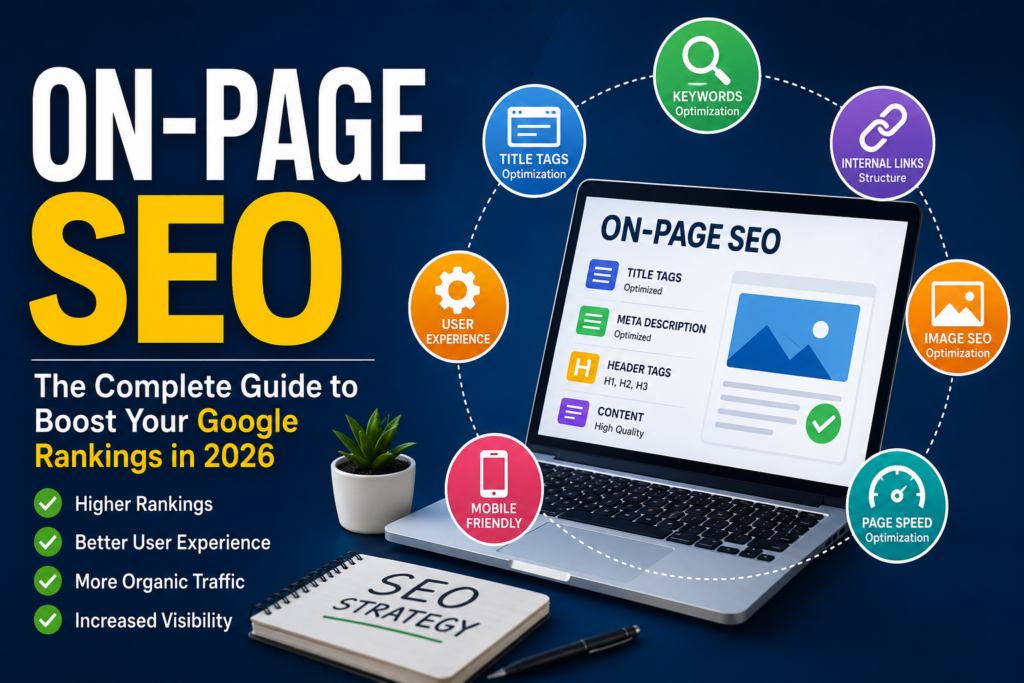
On-Page SEO refers to the process of optimizing individual web pages to improve their visibility in search engine results while providing a better experience for visitors. It involves refining elements such as content quality, keywords, headings, title tags, meta descriptions, internal links, images, and page structure. Unlike Off-Page SEO, which focuses on backlinks and external signals, On-Page SEO is completely within your control.
Search engines like Google aim to provide users with the most relevant, helpful, and trustworthy information. By following On-Page SEO best practices, you make it easier for search engines to crawl, understand, and rank your content while ensuring visitors find value in what they read.
In this comprehensive guide, you’ll learn the fundamentals of On-Page SEO, why it matters, and how to optimize every element of your website to improve rankings and attract organic traffic.
What is On-Page SEO?
On-Page SEO is the practice of optimizing individual pages on a website to improve their rankings in search engine results pages (SERPs). It includes both the visible content that users interact with and the HTML elements that help search engines interpret the page.
The goal of On-Page SEO is to create content that satisfies user intent while making it easy for search engines to understand its topic and relevance.
Core Elements of On-Page SEO
- Keyword optimization
- SEO-friendly title tags
- Meta descriptions
- URL structure
- Heading hierarchy (H1–H6)
- High-quality content
- Internal linking
- Image optimization
- User experience (UX)
- Mobile responsiveness
- Page speed
- Schema markup
Together, these elements improve both search visibility and user engagement.
Why On-Page SEO Matters
Google processes billions of searches every day. With millions of websites competing for attention, proper optimization helps your pages stand out.
Benefits of On-Page SEO
- Higher rankings in Google Search
- Increased organic traffic
- Better user experience
- Higher click-through rates (CTR)
- Improved conversion rates
- Easier indexing by search engines
- Stronger website authority
- Reduced bounce rates
A well-optimized page not only attracts visitors but also keeps them engaged, increasing the likelihood of conversions.
On-Page SEO vs. Off-Page SEO
Understanding the distinction between On-Page and Off-Page SEO is crucial for building a comprehensive SEO strategy.
| On-Page SEO | Off-Page SEO |
|---|---|
| Optimizes website content | Builds external authority |
| Title tags | Backlinks |
| Meta descriptions | Brand mentions |
| Internal links | Social signals |
| Images | Guest posting |
| Page speed | Digital PR |
| URL structure | Influencer outreach |
Both are essential, but On-Page SEO lays the foundation for effective optimization.
How Search Engines Understand Your Pages
Search engines use automated bots, often called crawlers or spiders, to discover and analyze web pages. These bots examine various elements to determine what a page is about and how valuable it is to users.
They evaluate:
- Titles
- Headings
- Keywords
- Images
- Internal links
- Page speed
- Mobile usability
- Structured data
- Content quality
Providing clear structure and relevant information helps search engines accurately index your pages.
Benefits of On-Page SEO
1. Improves Search Rankings
Optimized pages are more likely to rank for relevant keywords because they clearly communicate their topic to search engines.
2. Drives Organic Traffic
Higher rankings lead to increased visibility, attracting visitors who are actively searching for your products or services.
3. Enhances User Experience
Clear headings, readable content, fast-loading pages, and intuitive navigation make it easier for users to find the information they need.
4. Increases Click-Through Rates
Compelling titles and meta descriptions encourage users to click on your search result instead of a competitor’s.
5. Supports Long-Term Growth
Unlike paid advertising, well-optimized content can continue attracting visitors for months or even years.
Keyword Research for On-Page SEO
Keyword research is the foundation of every successful SEO strategy. It involves identifying the words and phrases your target audience uses when searching online.
Types of Keywords
Primary Keywords
The main keyword you want a page to rank for.
Example: On-Page SEO
Secondary Keywords
Closely related phrases that support the primary topic.
Examples:
- On-Page SEO Checklist
- On-Page SEO Techniques
- SEO Optimization
Long-Tail Keywords
Longer, more specific search queries.
Examples:
- How to improve On-Page SEO
- On-Page SEO checklist for beginners
- Best On-Page SEO practices in 2026
Long-tail keywords often have lower competition and higher conversion rates.
Understanding Search Intent
Google prioritizes pages that satisfy the intent behind a search query.
Types of Search Intent
Informational
Users want information.
Example:
“What is On-Page SEO?”
Navigational
Users want a specific website.
Example:
“Google Search Console login”
Commercial Investigation
Users compare products or services.
Example:
“Best SEO tools”
Transactional
Users are ready to take action.
Example:
“Hire an SEO expert”
Matching your content to the correct search intent improves rankings and user satisfaction.
Writing SEO-Friendly Title Tags
The title tag is one of the most important On-Page SEO elements.
Best Practices
- Include the primary keyword near the beginning.
- Keep it between 50–60 characters.
- Make it compelling and descriptive.
- Avoid keyword stuffing.
- Include numbers or benefits when relevant.
Example:
On-Page SEO: 20 Proven Techniques to Improve Google Rankings
Crafting Effective Meta Descriptions
Although meta descriptions are not a direct ranking factor, they influence click-through rates.
Best Practices
- Keep them between 150–160 characters.
- Include the primary keyword naturally.
- Summarize the page’s value.
- Add a clear call-to-action.
Example:
Learn the best On-Page SEO techniques to improve your Google rankings, increase organic traffic, and optimize every page for better performance.
Optimizing URL Structure
A clean and descriptive URL helps both users and search engines understand the page.
Good URL
Poor URL
URL Best Practices
- Use lowercase letters.
- Separate words with hyphens.
- Keep URLs short and descriptive.
- Include the primary keyword.
- Avoid unnecessary numbers or symbols.
Header Tags (H1–H6)
Headers organize content and improve readability.
H1
Use only one H1 per page. It should clearly describe the topic and include the primary keyword.
H2
Break the article into major sections.
H3
Divide H2 sections into smaller topics.
H4–H6
Use for additional organization where needed.
A logical heading hierarchy helps both users and search engines navigate your content.
Creating High-Quality Content
Content is the heart of On-Page SEO. Google rewards content that is original, accurate, comprehensive, and helpful.
High-quality content should:
- Answer user questions.
- Provide practical insights.
- Be easy to read.
- Include examples.
- Stay up to date.
- Demonstrate expertise and trustworthiness.
Avoid creating content solely for search engines. Write primarily for people.
Keyword Placement Best Practices
Place your primary keyword naturally in:
- Title tag
- H1 heading
- First 100 words
- H2 headings (where relevant)
- Meta description
- URL
- Image alt text
- Conclusion
Use keywords naturally and avoid forcing them into every sentence.
Avoiding Keyword Stuffing
Keyword stuffing occurs when the same keyword is repeated excessively in an attempt to manipulate rankings.
Instead of repeating one phrase, use related terms and natural language.
Google prioritizes content written for users, not search engines.
Using LSI and Semantic Keywords
Semantic keywords are closely related words and phrases that help search engines understand context.
For a page about On-Page SEO, relevant terms include:
- Search Engine Optimization
- Google Ranking
- Meta Tags
- Content Optimization
- Internal Linking
- Page Experience
- SEO Audit
- Keyword Research
- User Experience
- Organic Search
Including these naturally makes your content more comprehensive and relevant.
Improving Readability
Even the best content can fail if it’s difficult to read.
Tips for Better Readability
- Write short paragraphs.
- Use descriptive headings.
- Include bullet points and numbered lists.
- Keep sentences concise.
- Use transition words.
- Explain technical concepts clearly.
- Add visuals where appropriate.
Readable content improves engagement, reduces bounce rates, and encourages users to stay on your site longer.
18. Internal Linking
Internal linking is the process of connecting one page of your website to another. It helps search engines discover and understand your content while guiding users to related information.
Benefits of Internal Linking
- Improves website crawlability
- Distributes page authority across your website
- Increases user engagement
- Reduces bounce rate
- Encourages visitors to explore more pages
- Helps Google understand the relationship between pages
Best Practices
- Use descriptive anchor text.
- Link to relevant pages naturally.
- Prioritize high-value pages.
- Avoid excessive internal links on a single page.
- Regularly update older articles with links to newer content.
Example:
If you’re writing about On-Page SEO, link naturally to related pages such as:
- Keyword Research Guide
- Technical SEO Checklist
- Local SEO Guide
- Content Marketing Strategy
19. External Linking
External links point to trustworthy and authoritative websites.
Contrary to common myths, linking to credible sources can improve the usefulness and credibility of your content.
Best Practices
- Link only to reliable websites.
- Use relevant references.
- Avoid excessive external links.
- Periodically check for broken links.
Examples of authoritative sources include Google Search Central, industry research, and respected marketing publications.
20. Image SEO
Images improve engagement, but they should also be optimized for search engines.
Image SEO Checklist
- Use descriptive filenames.
- Compress images for faster loading.
- Choose modern formats like WebP where possible.
- Add descriptive ALT text.
- Use responsive images.
- Include captions where appropriate.
Good Filename
on-page-seo-checklist.webp
Poor Filename
IMG12345.jpg
Optimized images improve accessibility, page speed, and visibility in image search results.
21. Optimizing ALT Text
Alternative text (ALT text) describes an image for screen readers and search engines.
Good ALT Text
“Illustration showing On-Page SEO elements including title tags, meta descriptions, internal links, and keyword optimization.”
Poor ALT Text
“Image1”
Use concise, descriptive text and include the primary keyword only when it fits naturally.
22. Page Speed Optimization
Page speed is a confirmed ranking factor and directly affects user experience.
Slow-loading pages often result in higher bounce rates and lower conversions.
Improve Page Speed By
- Compressing images
- Using browser caching
- Minimizing CSS and JavaScript
- Reducing unnecessary plugins
- Using a Content Delivery Network (CDN)
- Choosing fast, reliable hosting
- Enabling lazy loading
A fast website keeps visitors engaged and supports better search performance.
23. Mobile-Friendly Design
With mobile-first indexing, Google primarily evaluates the mobile version of your website.
Mobile SEO Best Practices
- Responsive website design
- Fast loading times
- Readable font sizes
- Touch-friendly navigation
- Clickable buttons
- Proper spacing between elements
A seamless mobile experience improves both rankings and user satisfaction.
24. Core Web Vitals
Core Web Vitals measure the quality of a user’s experience on your website.
The three primary metrics are:
Largest Contentful Paint (LCP)
Measures loading performance.
Target: Under 2.5 seconds
Interaction to Next Paint (INP)
Measures responsiveness.
Aim for quick interactions with minimal delay.
Cumulative Layout Shift (CLS)
Measures visual stability.
Target: Less than 0.1
Improving these metrics contributes to a better overall page experience.
25. Schema Markup
Schema markup is structured data added to your website that helps search engines better understand your content.
Benefits include:
- Rich snippets
- FAQ enhancements
- Star ratings
- Breadcrumbs
- Product information
- Event listings
Common schema types:
- Article
- FAQ
- Local Business
- Product
- Review
- Organization
- Breadcrumb
Structured data can improve visibility and click-through rates in search results.
26. Optimizing for Featured Snippets
Featured snippets appear at the top of Google search results and can significantly increase visibility.
Tips to Earn Featured Snippets
- Answer questions directly.
- Use numbered lists.
- Include bullet points.
- Write concise definitions.
- Structure content with clear headings.
- Add comparison tables where relevant.
Example:
What is On-Page SEO?
On-Page SEO is the practice of optimizing individual web pages—including content, title tags, meta descriptions, internal links, images, and page structure—to improve search engine rankings and user experience.
27. E-E-A-T Principles
Google values content that demonstrates:
- Experience
- Expertise
- Authoritativeness
- Trustworthiness
Improve E-E-A-T By
- Publishing original content
- Citing reliable sources
- Displaying author information
- Updating content regularly
- Including case studies and examples
- Building a trustworthy brand
Strong E-E-A-T increases credibility with both users and search engines.
28. Common On-Page SEO Mistakes
Avoid these frequent errors:
- Duplicate content
- Missing title tags
- Poor meta descriptions
- Broken internal links
- Slow-loading pages
- Thin content
- Keyword stuffing
- Missing ALT text
- Multiple H1 tags
- Poor URL structure
- Ignoring search intent
- Lack of mobile optimization
- Outdated content
Regular SEO audits help identify and fix these issues.
29. Advanced On-Page SEO Strategies
To stay competitive, consider these advanced tactics:
- Build topical authority with content clusters.
- Create pillar pages supported by related articles.
- Refresh older content with updated information.
- Add FAQ sections to answer user questions.
- Improve dwell time using engaging multimedia.
- Optimize for voice search with conversational language.
- Strengthen internal linking across topic clusters.
- Target long-tail keywords alongside primary keywords.
30. AI and On-Page SEO
Artificial Intelligence is reshaping SEO, but human expertise remains essential.
AI can assist with:
- Content outlines
- Keyword ideas
- Meta title suggestions
- Grammar improvements
- Content optimization
- Competitor analysis
However, always review AI-generated content for accuracy, originality, and usefulness. Google rewards content created to help people, not content produced solely to rank.
Complete On-Page SEO Checklist
Before publishing any page, confirm that you have:
Content
- Clear search intent
- Original content
- Comprehensive coverage
- Readable formatting
- Updated information
Keywords
- Primary keyword in title
- Primary keyword in H1
- Natural keyword placement
- Semantic keywords included
- No keyword stuffing
HTML Elements
- Optimized title tag
- Compelling meta description
- Clean URL
- Proper heading hierarchy
- Descriptive image ALT text
Technical
- Mobile-friendly design
- Fast page speed
- Secure HTTPS
- Schema markup
- Working internal links
- Relevant external links
User Experience
- Easy navigation
- Clear call-to-action
- Logical content flow
- Accessible design
Using this checklist consistently can improve both rankings and user satisfaction.
Frequently Asked Questions (FAQs)
What is On-Page SEO?
On-Page SEO is the process of optimizing individual web pages—including content, HTML elements, and user experience—to improve rankings in search engine results.
Why is On-Page SEO important?
It helps search engines understand your content, improves user experience, increases organic traffic, and supports higher search rankings.
Which is more important: On-Page SEO or Off-Page SEO?
Both are important. On-Page SEO provides the foundation by optimizing your website, while Off-Page SEO builds authority through backlinks and external signals.
How often should I update On-Page SEO?
Review and refresh important pages every 6–12 months, or sooner if there are major algorithm updates, changes in user intent, or new information to include.
Does On-Page SEO guarantee first-page rankings?
No. Rankings depend on multiple factors, including content quality, competition, backlinks, website authority, and search intent. However, strong On-Page SEO significantly improves your chances.
Conclusion
On-Page SEO is one of the most valuable investments you can make for long-term online success. It ensures that every page on your website is optimized for both search engines and users, creating a strong foundation for sustainable organic growth.
From keyword research and high-quality content to optimized titles, internal linking, page speed, mobile usability, and structured data, every element contributes to better visibility and a stronger user experience.
Remember that SEO is not a one-time task. Search algorithms evolve, user expectations change, and competitors continuously improve their websites. Regular audits, content updates, and ongoing optimization are essential for maintaining and improving your rankings.
By following the strategies outlined in this guide, you can create pages that not only rank well but also provide genuine value to your audience—building trust, attracting qualified traffic, and supporting long-term business growth.
SEO Elements
SEO Title
On-Page SEO: The Complete Guide to Improve Google Rankings in 2026
Meta Title
On-Page SEO Guide: Best Practices & Checklist for Higher Rankings
Meta Description
Learn the complete On-Page SEO process with proven techniques, optimization tips, and a comprehensive checklist to improve Google rankings and increase organic traffic.
URL Slug
on-page-seo-guide
Suggested Internal Links
- What Is SEO?
- Technical SEO Guide
- Off-Page SEO Explained
- Keyword Research Guide
- Local SEO Checklist
- Content Marketing Strategy
- SEO Audit Checklist
- Google Search Console Guide
Suggested External Resources
- Google Search Central Documentation
- Google Search Console
- Google Analytics
- PageSpeed Insights
- Rich Results Test
Final Thoughts
On-Page SEO is not about adding keywords everywhere or chasing search engine algorithms. It’s about creating valuable, well-structured, and user-focused content that answers searchers’ questions effectively. When you combine technical optimization with high-quality writing and a great user experience, you build pages that can earn higher rankings and deliver lasting results.
Whether you’re a beginner learning SEO or an experienced marketer refining your strategy, mastering On-Page SEO will help you drive more organic traffic, strengthen your online presence, and achieve sustainable growth.